
Bitcoin guide
We accept Bitcoin (BTC), USDT (TRC-20), Litecoin (LTC), Ethereum (ETH) and Cash App. The walkthrough below covers buying and sending Bitcoin with Cash App; for the other coins, send from your own wallet to the address and network shown at checkout.
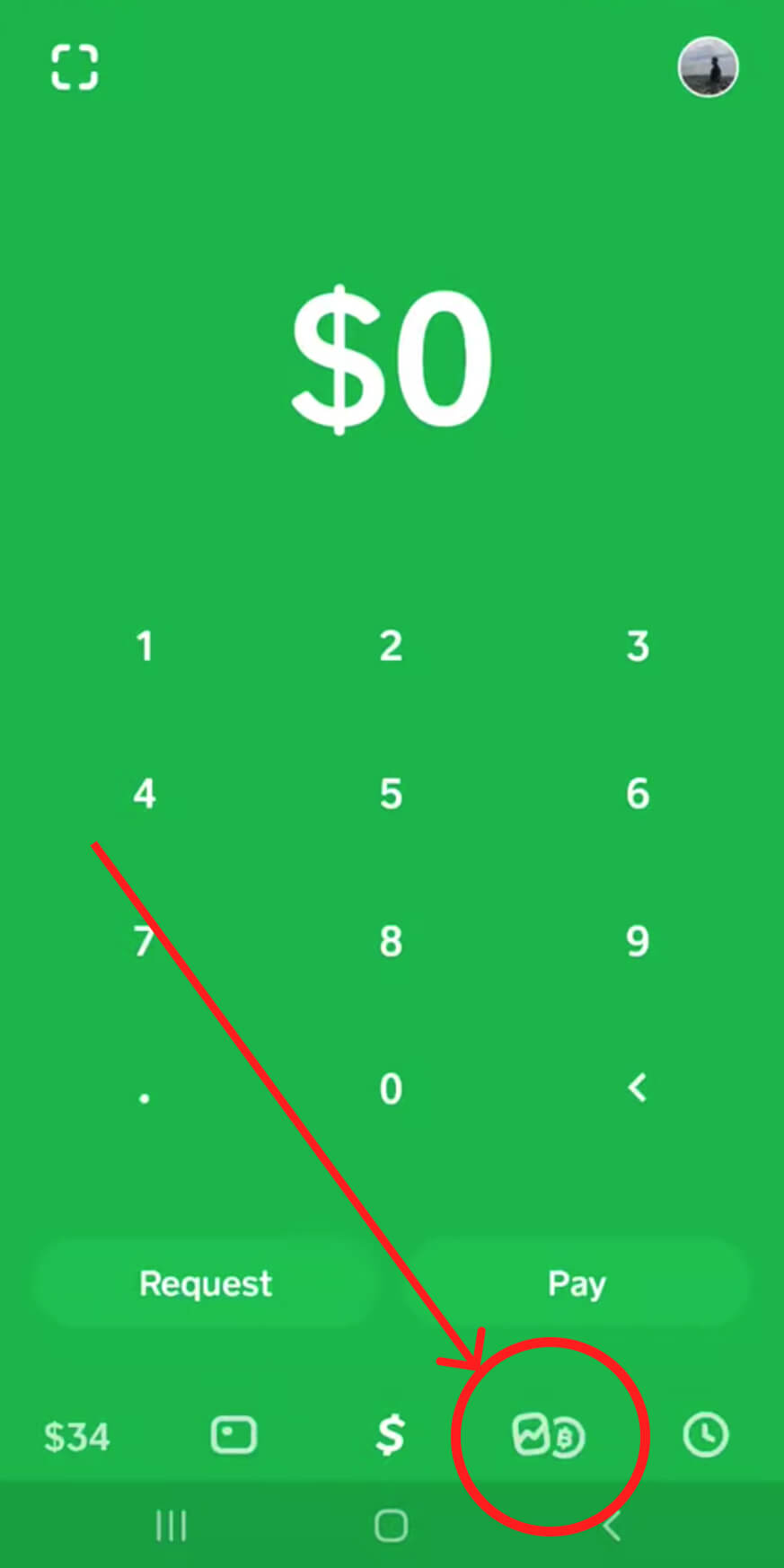
Step 1
Tap the Bitcoin tab on your Cash App home screen
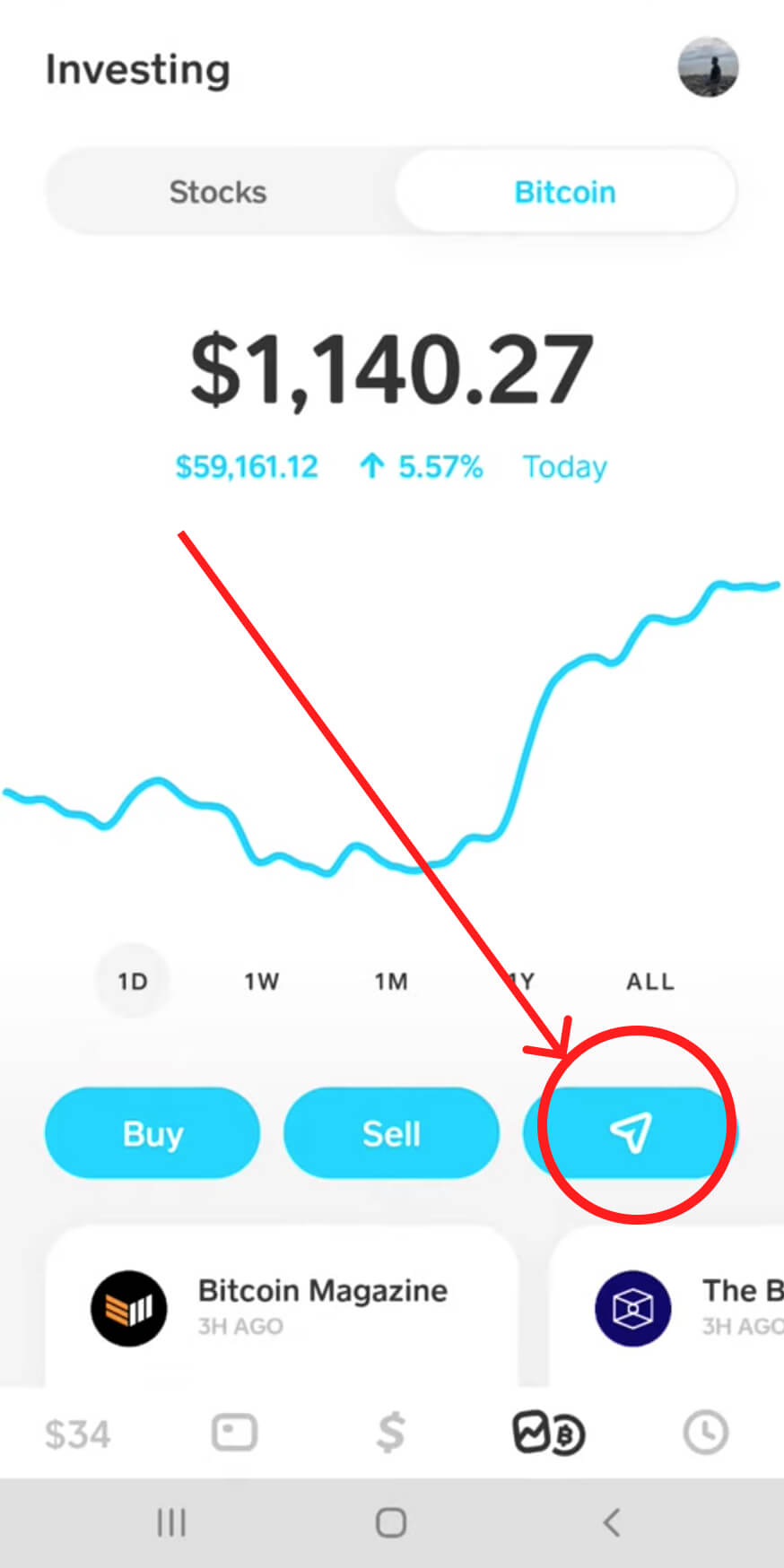
Step 2
Tap the Airplane button
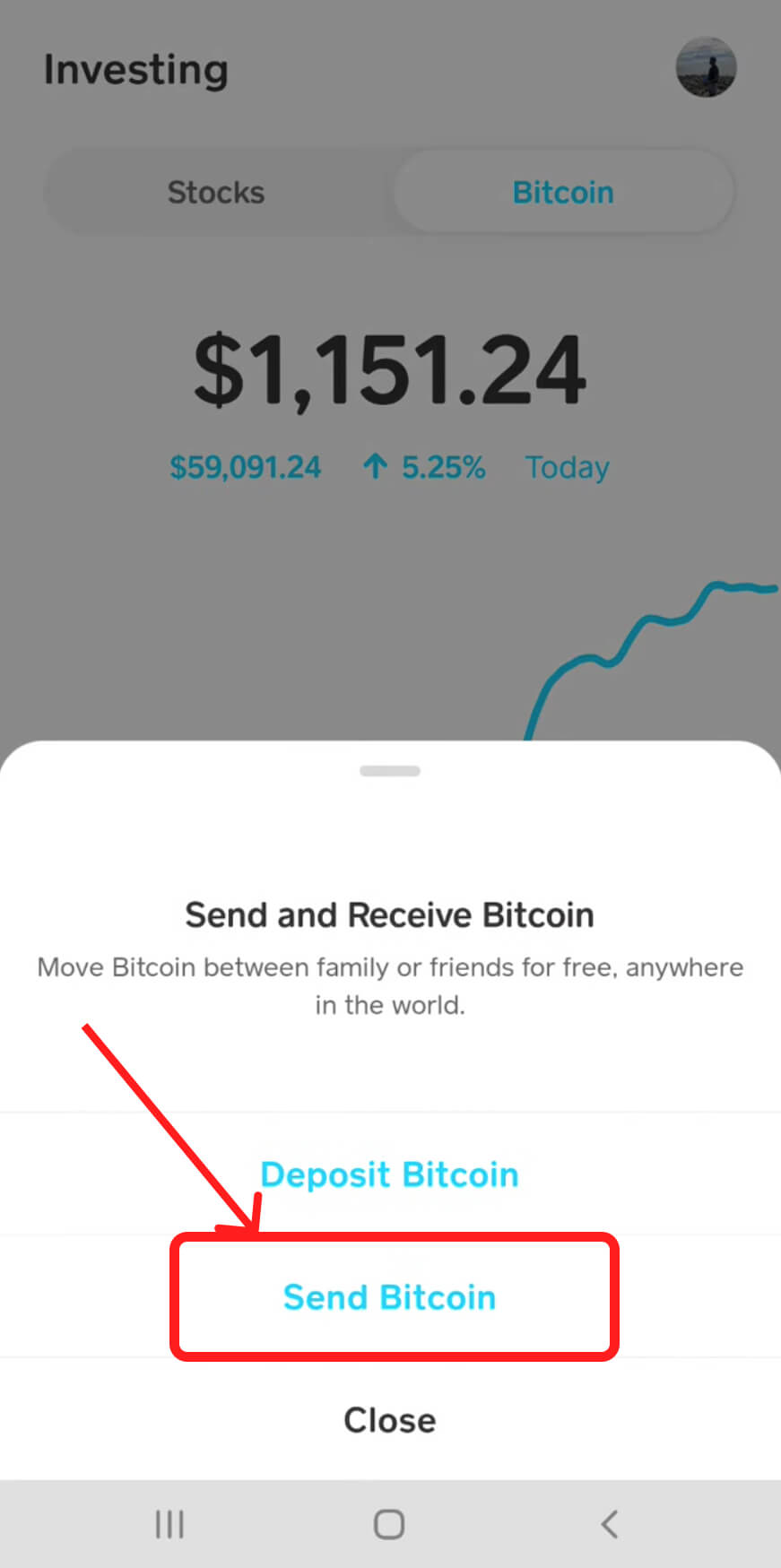
Step 3
Choose send Bitcoin
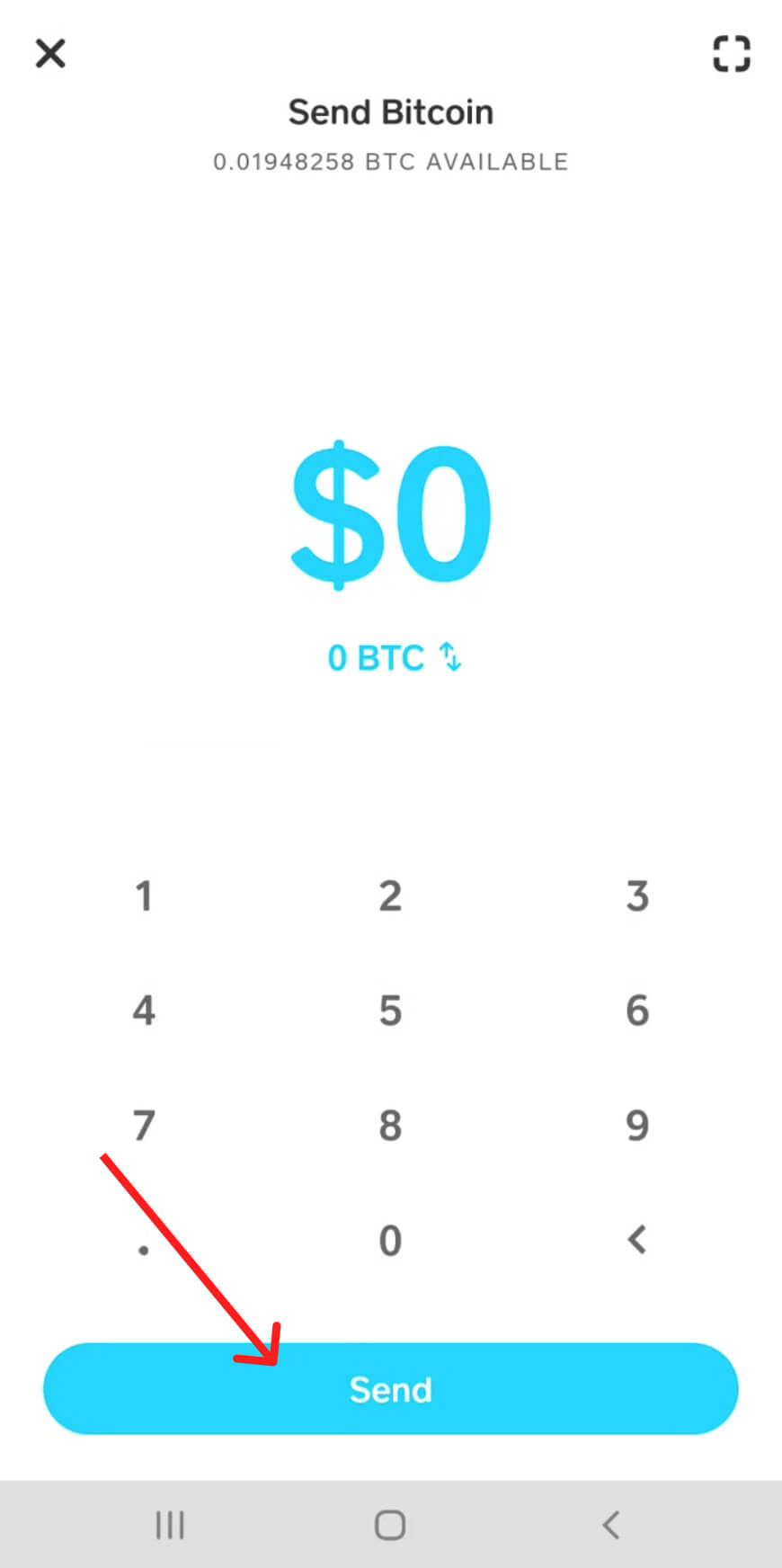
Step 4
Either tap the top left corner of the screen to access the QR code scanner or tap Send to enter the external wallet address manually
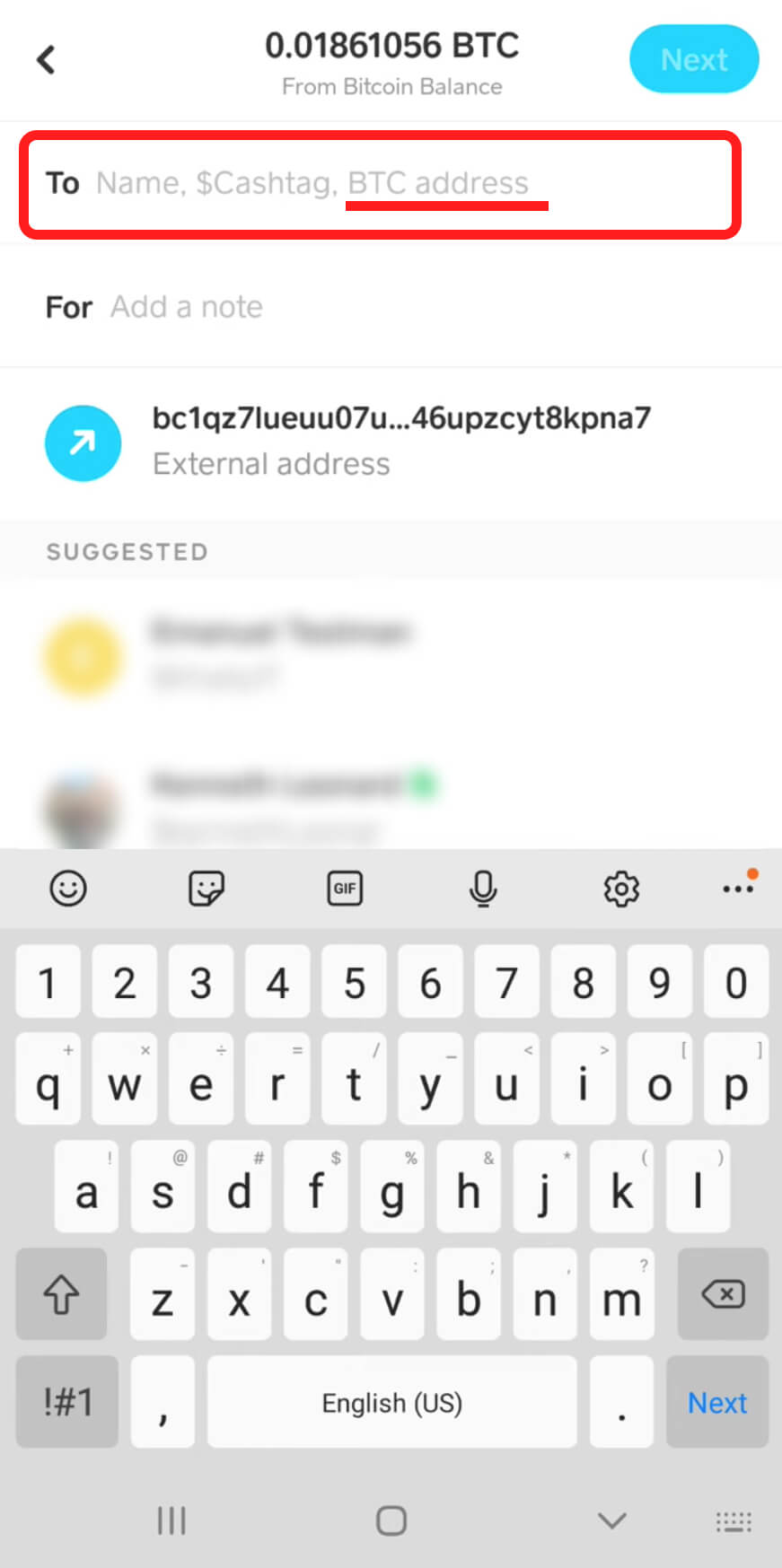
Step 5
Tap wallet address to confirm
Tap Next
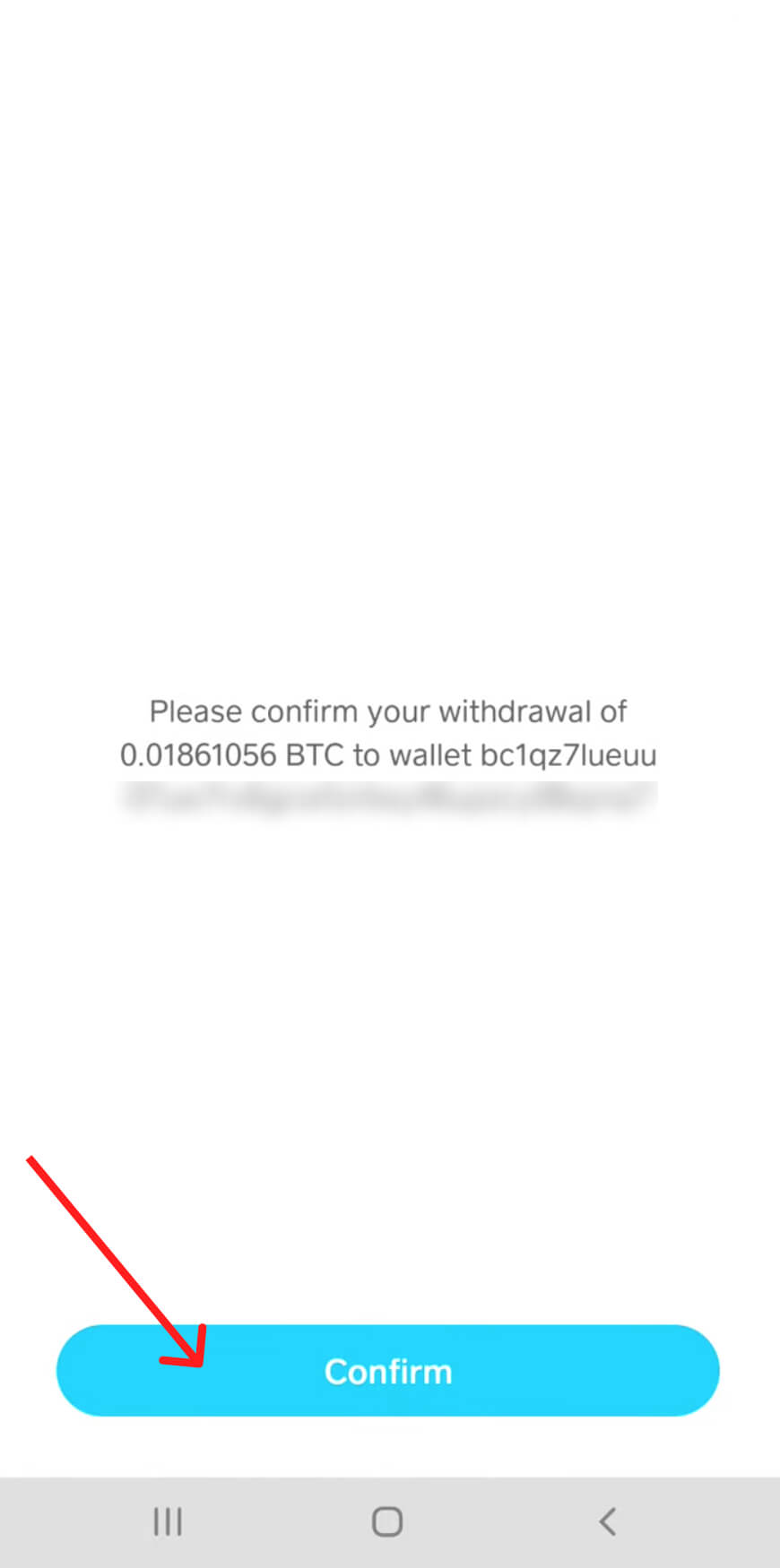
Step 6
Tap Confirm & Send to initiate your withdrawal.
Please verify withdrawals for Bitcoin by uploading your ID or driver license through CashApp.
Having trouble scanning your driver’s license? Try the following:
1. Take the photo in a well-lit, glare-free area
2. Place your license against a dark background
3. Check that your license is valid
You must be 18 or older to apply for a Cash Card.
Still need help? https://cash.app/help/us/en-us/1016-bitcoin